Security and evidence
Vibe-coded app before go-live: a ten-step review
Florian Rocktäschel · Last reviewed: November 2026 · 12 minute read
In short
Building software with AI is not the problem. The problem is a vibe-coded app, meaning an app created by prompting an AI with no fixed framework and without anyone reading the code in detail, that is now supposed to go live with real customer or employee data. Before that, ten places need checking where such apps are open again and again: secrets in browser code, database rules, authentication, dependencies and licences, input validation, rate limits, logs and error pages, backups, operations and updates, and the question of who is responsible. You can do most of these checks with a second user account, your browser’s developer tools and access to the database. Better still is never getting there: if you build with AI, you need a framework of modules, tests and a hardened environment from day one. Hardening a large app only at the end almost always goes wrong. The checklist at the end lets you tick them off.
Why do vibe-coded apps keep having the same gaps?
Because the AI optimises for what you can see: the app starts, the buttons work, the data appears. Whether a stranger sees the same data is not something you notice by clicking around. In 2025 a benchmark by a security tooling vendor found OWASP Top 10 vulnerabilities in 45% of coding tasks, across more than 100 language models. That measures test tasks, not live apps, but the direction is clear. The German and French cybersecurity agencies (BSI and ANSSI) state in a joint publication that AI coding assistants do not replace experienced developers and that uncontrolled use can have serious security consequences.
What this looks like in practice is shown by CVE-2025-48757. In March 2025 a security researcher checked 1,645 apps from the showcase of a widely used AI app builder. In 170 of them, about 10%, a total of 303 database endpoints were reachable without effective access rules: names, email addresses, phone numbers, payment data, keys for third-party services. Without logging in, you could write as well as read. The researchers created a test record with the payment status “paid” and so bypassed the payment provider. Only home pages were scanned, so the real number is likely higher. The vendor disputes that this is a vulnerability in its product.
The most instructive part came afterwards. The builder introduced a security scan which, according to the researchers, only checked whether any access rule existed at all, not whether it protected anything. A green tick for “rule present” reassures the conscience and nobody else. That is why every step below follows one principle: test what a stranger can actually do.
What do you need for the review?
- A test environment with a copy of the app and made-up data. Never test on the live system.
- Two normal user accounts (A and B) and, if there is one, an admin account.
- Your browser’s developer tools (F12), especially the sources and network tabs.
- Read access to the code and the database. If the builder gives you neither, that is already a finding for step 9.
Steps 1, 3, 6, 8, 9 and 10 need no programming skills, only care. For steps 2, 4 and 5 it helps to have someone who can read code and SQL.
Step 1: Is there a secret key in the browser code?
Anything that reaches the browser can be read by anyone. Secret keys for payment providers, AI services, email delivery or database administration do not belong there. According to an annual report on leaked credentials, about 29 million new secrets appeared in public code in 2025, 34% more than the year before, and the rate in AI-assisted code was roughly twice the average.
How to check:
- In the developer tools, search the loaded scripts for “key”, “secret”, “token”, “password” and “sk_”.
- In the network tab, look at the app’s requests: does a key go directly to a third-party provider in a request header?
- Scan the code repository including its history with an open source scanner such as gitleaks. A credentials file deleted three weeks ago is still in the history.
Not every key is secret. Some database services deliberately issue a public key for the browser. It is only harmless if the database rules from step 2 are right. In the case above, that public key was not the problem; the missing rules were.
Passed if: no key in the browser or repository can cause costs, read data or grant rights. Any key found is rotated with the provider, not just removed from the code.
Step 2: Do the database rules really protect every row?
This is the most important step. Many builders let the browser talk to the database directly, usually PostgreSQL. Row level security (RLS) is then the only wall: one rule per table that defines which rows a user may read, insert, update and delete.
Three PostgreSQL behaviours are worth knowing. If RLS is enabled on a table but no policy exists, nobody sees anything, which is safe. If RLS is not enabled, anyone with access sees everything. And the table owner, superusers and roles with BYPASSRLS ignore the rules; for the owner you can switch this off with FORCE ROW LEVEL SECURITY.
How to check:
- Find tables without RLS with this query: SELECT n.nspname, c.relname FROM pg_class c JOIN pg_namespace n ON n.oid = c.relnamespace WHERE c.relkind IN (‘r’,’p’) AND n.nspname NOT IN (‘pg_catalog’,’information_schema’) AND NOT c.relrowsecurity;
- Find policies that allow everything: SELECT schemaname, tablename, policyname, cmd, qual, with_check FROM pg_policies WHERE qual = ‘true’ OR with_check = ‘true’;
- Create a record with account A. With account B, copy the app’s request from the network tab and insert A’s ID. If A’s record comes back, the rule is broken.
- Repeat without logging in: send the request without the auth token.
- Test writes: can account B create a record with A’s user ID? Can a user change fields such as “role”, “is_admin” or “payment_status” in their own profile? Every write policy needs a WITH CHECK condition, and fields like these belong in a table users cannot write to at all.
Passed if: every table with user data has RLS, no policy is simply “true”, and account B can neither read nor change what belongs to A. The database admin account is never used in the browser.
Step 3: Who can log in, and what can they do afterwards?
Authentication (who are you?) and authorisation (what may you do?) are different things. In vibe-coded apps authentication is often solid, because it comes from a ready-made service. Authorisation, on the other hand, often lives only in the interface: the “Admin” button is hidden from normal users, but the endpoint behind it answers anyone. In the 2025 OWASP Top 10, broken access control is once again number one.
How to check:
- Run an admin function as an admin and copy the request from the network tab. Send the same request as a normal user.
- Log out and check whether the old token still works.
- Walk through “forgot password”: does the link expire? Does the app reveal whether an email address is registered?
- If the app stores passwords itself: OWASP recommends Argon2id with at least 19 MiB of memory, 2 iterations and a parallelism of 1. Plain text or a fast hash such as MD5 is a fail.
Passed if: every function checks authorisation on the server, sessions end on logout, and admin accounts use a second factor.
Step 4: Which packages are inside, do they exist, and may you use them?
A typical app pulls in hundreds of third-party packages. Two risks stand out with AI-generated code: outdated packages with known vulnerabilities, and packages that do not exist. A study presented at USENIX Security 2025 had 16 language models generate 576,000 code samples. On average at least 5.2% of recommended packages were invented for commercial models and 21.7% for open source models, more than 205,000 distinct names in total. Attackers register such names and wait for someone to install them. Since 2025 OWASP lists software supply chain failures as a category of its own, at number three.
How to check:
- Go through the list of direct dependencies: does each package exist in the official registry, since when, and is it maintained?
- Check for known vulnerabilities with built-in tools (npm audit, pip-audit) or with the open source OWASP Dependency-Check.
- Generate a software bill of materials (SBOM, for example in CycloneDX format). Customers and auditors ask for it more and more.
- Check licences: packages under the AGPL oblige you, if you modify them and offer them over a network, to make the source code of your modified version available. Code with no licence at all is, strictly speaking, not yours to use.
Passed if: there is a lock file with pinned versions, no known critical vulnerability is open, every package is real, and no licence conflicts with your business model.
Step 5: What happens to input nobody expected?
Every form field, every file upload and every URL parameter is a door. Checks in the browser help honest users; against attackers, only checks on the server count.
How to check:
- Enter HTML into a name field, for example a string with an img tag and an onerror attribute. If a pop-up or a broken image appears elsewhere, output is not being escaped.
- Enter a single quote and special characters into search fields. A database error message points to concatenated rather than parameterised queries.
- Upload files the app does not expect: too large, the wrong type, a script with an image extension.
- If the app itself uses a language model: upload a document with a hidden instruction and check whether the AI follows it. What rights such a model may have is covered in Your chatbot knows too much and AI agents with guardrails.
Passed if: the server checks type, length and format of every input, database queries are parameterised, output is escaped, and uploads end up outside the publicly reachable area.
Step 6: What stops someone sending a thousand requests a minute?
Without rate limits, the login is a guessing game with no time limit, and every feature that costs money is an open till. OWASP describes a “forgot password” function that sends a paid text message on every call: a script triggers tens of thousands. For apps with AI features, the same applies to every call to the language model.
How to check:
- Use a small script or a load testing tool to send 50 failed logins within a minute. After a few attempts you should see a lockout or a response with status code 429.
- Do the same for sign-up, “forgot password”, the contact form and AI features.
- For every pay-per-use provider (text messages, email, AI, maps), check that a spending limit or at least a cost alert is set up.
Passed if: login and expensive features are limited per user and per address, and every paid service has a limit.
Step 7: What do error pages reveal, and what is in the logs?
Two questions in one. First: when something goes wrong, does the user see technical details such as database queries, file paths or version numbers? That is an instruction manual for attackers. Second: after an incident, can you trace who did what? Both are in the 2025 OWASP Top 10, error handling even as a new category.
How to check:
- Provoke errors: put an invalid ID in the URL, text into a number field, call a page that does not exist.
- Check that logins, failed logins, permission changes and deletions appear in the logs with time and user.
- Cross-check: do passwords, full tokens or unnecessary personal data end up in the logs?
Passed if: users see a neutral error page, debug mode is off, security-relevant events are logged without secrets, and anomalies trigger an alert to a person.
Step 8: Can you get your data back if everything is gone?
A backup that has never been restored is an assumption. With app builders there is a second question: are the database and files in an account that belongs to you, and can you export them completely?
How to check:
- Find out who backs up, how often, where to, and how long backups are kept. At least one backup sits outside the account the app runs in.
- Restore a backup into an empty environment and log in there. Time it.
- Settle two sentences: how many hours of data may be lost at most, and how long may the app be down at most?
Passed if: a full restore has been rehearsed once, it takes no longer than agreed, and the export works without the builder’s help.
Step 9: Who runs the app, and who applies updates?
An app is not finished at go-live. Packages get new vulnerabilities, certificates expire, third-party APIs change. With vibe-coded apps, even the answer to where the app actually runs is often missing.
How to check:
- Write down where the app, database, files and logs are hosted: which country, which provider, whose account. Service providers that process personal data on your behalf need a data processing agreement (Article 28 GDPR).
- Check whether there is a test and a production environment. Anyone who changes the live system by prompting the AI is testing on their customers.
- Decide how often dependencies are updated and who reads security advisories.
- Check whether the EU Cyber Resilience Act applies. Its reporting obligations for actively exploited vulnerabilities have applied since 11 September 2026; the remaining obligations apply from 11 December 2027. Whether an app is in scope depends on whether it is placed on the market as a product, for example as an installable app, or runs purely as a web service. Have this checked for your case.
Passed if: hosting is documented and in your name, changes go through a test environment first, and updates follow a fixed rhythm with a named owner.
Step 10: Who is responsible when something happens at night?
The step without technology, and the one most often missing. Someone built the app over a weekend. Who changes it a year from now, who decides during a data breach, and who writes the notification, is written down nowhere.
How to check:
- Name one person responsible for the app, and a deputy.
- Decide who has the authority to take the app offline during a security incident. For a personal data breach, the supervisory authority must be notified where feasible within 72 hours (Article 33 GDPR).
- Check whether anyone other than the original builder can understand, change and redeploy the code. If not, your most important dependency is a single person.
Passed if: name, deputy and incident procedure fit on one page, and a second person has changed and deployed the app on their own at least once.
Investors and buyers look closely at this point in a technical review; more on that in Technical due diligence.
What if the app fails?
Red in step 1 or 2 means no real data until the gap is closed. Amber items in steps 6 to 10 can often be fixed within days, without rebuilding the app.
Then comes an honest decision: harden or rebuild. Hardening makes sense when the app is small, the data structure holds up and the gaps are isolated. Hardening a large app after the fact, on the other hand, is a disaster. Access rules, data model and logic are so tangled by then that every fix creates two new bugs. A rebuild on a clean framework is usually faster and cheaper. As an illustration of the requirements the app stays useful, because you can click through it. As a foundation for the rebuild it does not work.
From practice: how I build with AI
I write software with AI myself, every day. Vibe coding is great for prototypes too, but only if you do it right. A prototype is meant to show whether an idea works, and even for that, blindly accepting whatever the AI delivers is not enough. Vibe-coding an app together just before go-live does not happen in my work, and neither does a quick MVP built that way. The AI works inside a fixed framework, a harness, following the state of the art. The software is split into modules, business domains and layers so that it stays manageable no matter how much of the code the AI contributes. It is built properly and tested properly. What goes live has been reviewed.
What matters is that the app is hardened at every point in time, not just at the end. Servers, deployments, local development environments and every account are secured from the start. I plan for certificates and regulations from day one. Data protection cannot be bolted on afterwards; Article 25 GDPR explicitly requires it at the design stage. Once that framework stands, you can develop very fast with AI inside it. And then it actually works.
So the ten steps above do not replace a framework. They are the test for an app that was built without one. How to demonstrate security to customers, auditors and regulators is described under Security and evidence.
Checklist: ten steps to tick off
| Step | Self-test | Passed if |
|---|---|---|
| 1 Secrets | search browser code and repository history | no secret key, any found are rotated |
| 2 Database rules | find tables without RLS, fetch A’s data with account B | RLS everywhere, no “true” policy, B sees nothing of A |
| 3 Authentication | send an admin request as a normal user | server checks every permission |
| 4 Dependencies | check packages for existence, vulnerabilities and licence | real packages, no critical vulnerability, licence fits |
| 5 Input | enter HTML, special characters, wrong files | server validates and escapes |
| 6 Rate limits | send 50 logins in a minute | lockout, spending limits set |
| 7 Logs and errors | provoke errors, read logs | neutral error page, events logged |
| 8 Backups | rehearse a restore | rehearsed, export possible without the builder |
| 9 Operations | write down hosting and update rhythm | documented, test environment, regular updates |
| 10 Responsibility | put the incident procedure on one page | name, deputy, a second person can make changes |
Frequently asked questions
Vibe coding means software is created by prompting an AI, without anyone reading the generated code in detail. It is fast. Without a fixed framework of modules, tests and a hardened environment, though, it produces code nobody is in control of. For use with real data, it needs the same review as any other software.
Yes, if the AI works inside a fixed framework: modules, domains and layers, automated tests and an environment that is hardened from the start. Then AI speeds up development without losing control.
It is a start, not proof. In the CVE-2025-48757 case, such a scan, according to the researchers, only checked whether an access rule existed, not whether it protected anything. Test for yourself with a second account what a stranger can see.
Not for steps 1, 3, 6, 8, 9 and 10. For database rules, dependencies and input validation, it helps to have someone who can read code and SQL.
When at least steps 1 to 3 have passed and the rest have a plan with a date. With gaps in keys, database rules or authorisation, no real data belongs in the app.
That depends on whether it is placed on the market as a product with digital elements, for example as an installable app, or runs purely as a web service. Reporting obligations have applied since 11 September 2026, the remaining obligations apply from 11 December 2027. Have it checked for your case.
Sources
Last reviewed November 2026. Legal information without guarantee, not legal advice.
- CVE-2025-48757, statement by the security researcher (May 2025): mattpalmer.io
- CVE-2025-48757, entry: cvefeed.io
- Veracode, 2025 GenAI Code Security Report: veracode.com
- ANSSI and BSI, AI Coding Assistants (2024): bsi.bund.de (PDF)
- Spracklen et al., package hallucinations, USENIX Security 2025: arxiv.org
- GitGuardian, State of Secrets Sprawl 2026, summary: techradar.com
- OWASP Top 10:2025: top10.owasp.org
- OWASP Password Storage Cheat Sheet: cheatsheetseries.owasp.org
- OWASP API Security Top 10 2023, API4: api-security.owasp.org
- PostgreSQL, row security policies: postgresql.org
- GNU Affero General Public License v3: gnu.org
- GDPR, Articles 25, 28 and 33: eur-lex.europa.eu
- Cyber Resilience Act, Regulation (EU) 2024/2847, Article 71: eur-lex.europa.eu
About the author
I am Florian Rocktäschel, an engineer from RWTH Aachen. I have worked with machine learning since 2013 and as a fractional CTO for mid-sized companies since 2018. Here I write down what I am asked again and again in this work.
Where does your technology stand?
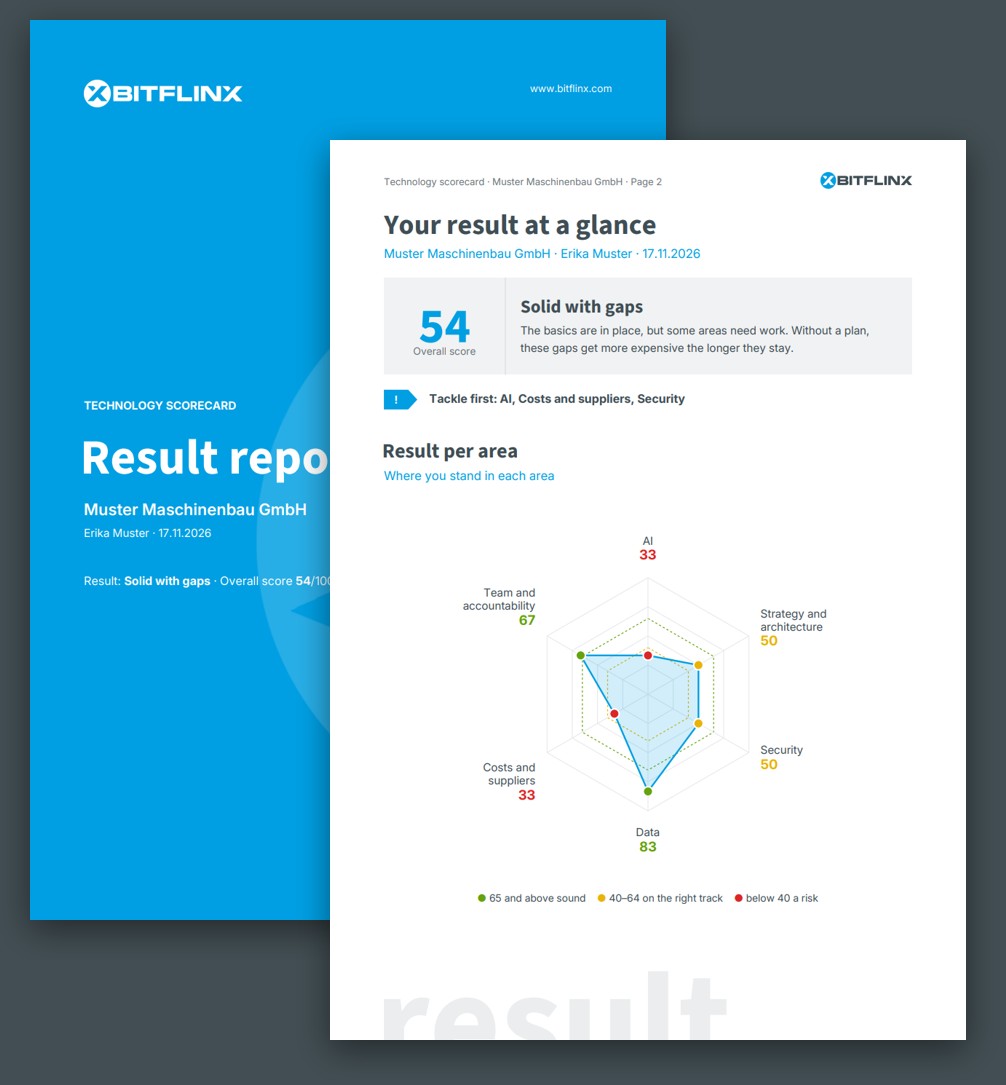
The Technology Traffic Light asks 15 questions about AI, strategy, security, data, costs and team. Ten minutes, instant result, free of charge.